
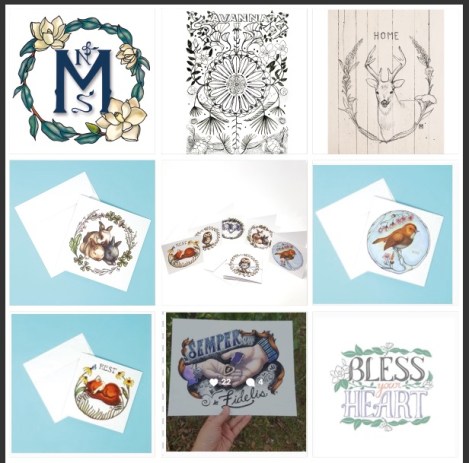
I found this info from Youtube from Fuzzy and Birch. She provides a template as well on the MORE section of the video. Scroll down. Has a photoshop template to get a preview of your Instagram as a whole. This was really helpful! Here is a screenshot of what my next 5 posts will look like. It gives you a overall view. I think people think of their feed as 1 post at a time. I think you have to look at it overall. What feeling or look are you communicating to your viewers? Does it communicate your brand? You only have less then 3 seconds on instagram to catch a viewers’ attention. Your photos have to be top notch.
Another tip is archive your stuff that doesn’t look good on instagram. Many of my early photos were dark and had a yellow cast. I archived them so if you need to go back and review your photos you still have them. It looked odd that I had so many bad posts compared to my newer lighter and brighter photos. I didn’t make my instagram feed public until much later. I had tons of not relevant posts. I like cooking and food. I removed those photos. Now there is a lighter/friendly feel. I’m getting better at taking photos. The photo booth I purchased really helped. I work full time so using natural light really doesn’t help me because I’m working during the day. I get home the lighting is just not there. Here is the photo booth. FYI this is an affiliate link.


Just some free tips!
 Mrs. Miller - Messy Art Teacher Blog