

This is my 2nd year teaching in a computer lab. These are a few tips that have helped me out. There wasn’t as much online about this.
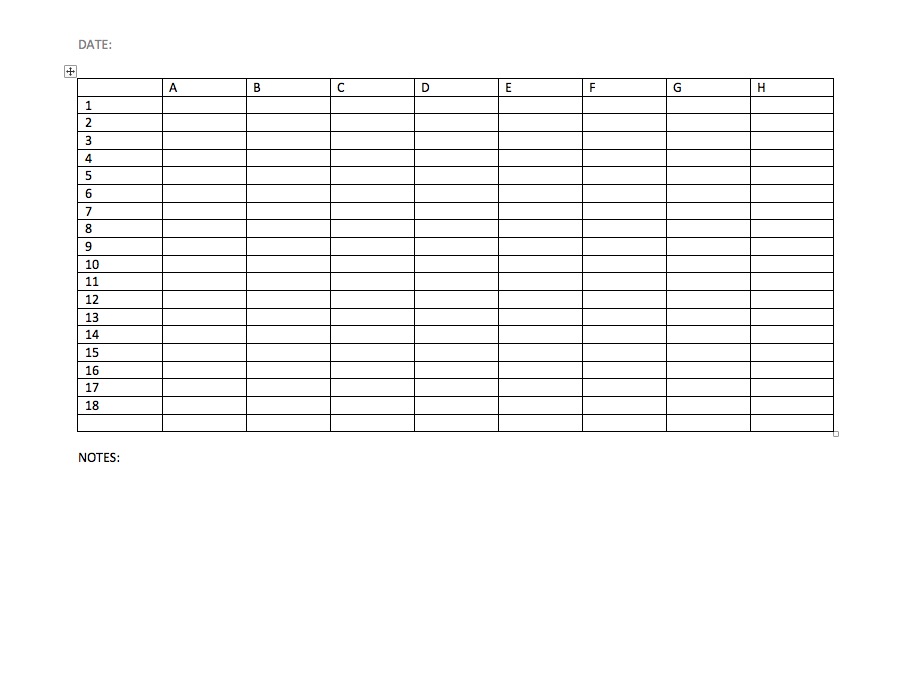
- Make sure to label all the computers with a number or a letter. I got this from a teacher friend of mine. Klarson Blog Why do this? Well it really helps when you don’t know the students very well and you can tell them sit at #9 and not offend anyone because you can’t remember their name. As I get older harder to remember names. I also do assigned seating and that helps to remember who is sitting at which computer. Also when you have to contact your IT dept they will know which computer is having issues. Here is an image of my current seating chart. There are 8 classes per day (A-H) and then I have 18 computers in the lab. Then I put the student’s name under the correct period and the computer #.
- Make students give you an ID for when they check things out. I had a hard time remember who had the head phones or who has a wacom tablet out. Then I started taking the student’s ID while they are using it. The two high schools I’ve taught at require students to carry a student ID.
- Slowing down. I used to try and rush starting things, and realized if things aren’t working in the lab technology wise. Just take it slower. I’m having students do hands on projects. Spend more time talking and critiquing till IT has time to come in and fix the issues. Helps vary things up a little. Be patient.
That’s it for today. I’m going to try and blog once a week about what I’m having students work or any other tech tips.
 Mrs. Miller - Messy Art Teacher Blog