
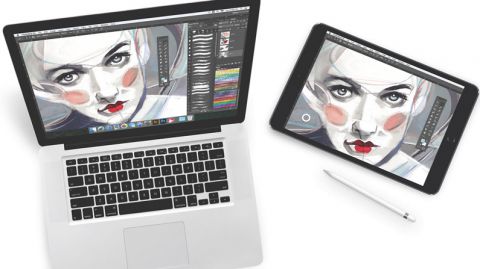
I purchased a Wacom Cintiqu Pro 16″ and it doesn’t disappoint. For $1500 it should be great. I love it, but I was doing more research and if you are on a budget for yourself or a classroom I’d suggest looking into the Astropad app. Many public schools have 1-to-1 iPads for their students. The app allows you to mirror on to you computer what you are doing on your iPad. If you looking into purchasing the screen protectors that I’ve seen that mimic the feel of paper then you may have something that could really save you bucks. I honestly haven’t tried it but if you figure a 2018 iPad starts at $400 and then $100 for the apple pencil. The Astropad app costs $29.99. There is another app I read about called Duet Pro. Then there is a company called PaperLike for the screen protector costs $29.
I’ve never used the products, but if you have a small budget and you want students to learn animation I really think it is MUCH easier using some type of screen they can draw on. It’s one thing if you are doing illustration. That is just 1 image. Animation requires multiple images and they you have to consider students are learning in more than 2 dimensions. They have to understand the image height, width, and time. Then if it is 3D you are looking at understanding height, width, depth, and time. It saves time if you can just draw on the screen live.
I think the tech is getting more and more affordable. But as they say you pay for what you get. I’m glad that I went with the Wacom instead of another brand. I’ve always used Wacom for my design/illustration work. When working with a budget the above maybe something to consider. If anyone has used those products would love to hear your thoughts. I am thinking about purchasing PaperLike for my own iPad because nothing beats the feel of drawing on paper. I’ll let you know if I purchase it.
 Mrs. Miller - Messy Art Teacher Blog