
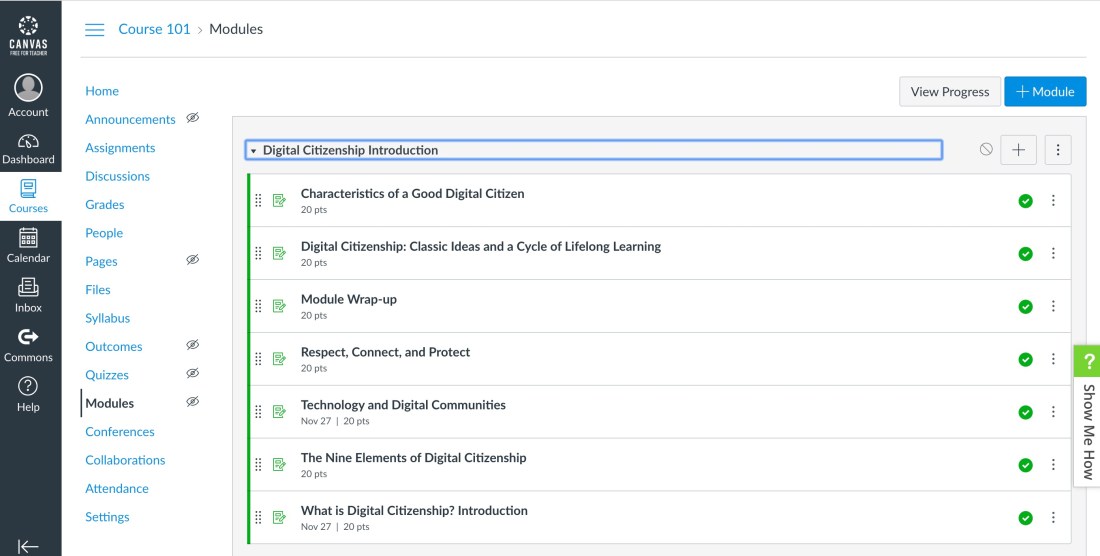
to the course shell that you created. Make notes of the steps you followed to do this.
Answer in your blog: While the content loads, note the steps completed to fully load the package and make it viewable.
What were those steps?
I loaded the site content in my browser window. I have a slow internet connection at home so I used the links that were supplied for the site. I first went to the Modules tab and created a module by clicking on the blue Module button. Then I started creating my individual assignment for each section of the webpages. Then students can read each section and the activities.
Is it important to follow these steps? Write a description of the experience in your blog.
Modules are like sections for your course then my assignments were like my pages for the modules. They did have a section for Pages but didn’t seem to be included with my free version of Canvas. I copied and pasted most of the content and then I used the icons for inserting links, files, and video as needed. It important to set due dates and when students can see it and also click publish after each one to make sure students can see the assignment.
 Mrs. Miller - Messy Art Teacher Blog