Participate 1 – Joining a DLC

I tried several bookmarking services that were new to me. I currently teach the following subjects: graphic design, photography, animation, and game design for high school.

I tried Symbaloo, Google Bookmarks, and Diigo. I’ve been using Google Bookmarks and Zotero for some time, but often Bookmarks can get quite cluttered. I thought Symbaloo looked a bit elementary school-like in the UI/UX design. Diigo was what I preferred. Here is a link to the sites for you to try them out. I also had used Zotero for my graduate course in contemporary art. This is great for tracking the material you are using for sources. It can also create a bibliography for you.

Symbaloo

Google Bookmarks

Diigo. This is the link I created from going to Khan Academy for my reflection. https://diigo.com/0fzubv

Zotero

What is the name of the DLC joined and the reason why the DLC was the most intriguing?

This is a post about my exploring and finding a Digital Learning Community that suites what I teach. I chose Khan Academy. I’ve been a member previously with them. They have resources for animation teachers, because of their online course Pixar in a Box. That is a great series that offers insights into how the stories are created for animations that Pixar creates.  I’ve used that with my animation pathway students in high school. Short videos that are easy to digest and keep students attention. Khan Academy has a sound reputation and it has been recommended by teachers I’ve worked with for academic classes.

This is another great DLC. I’ve also been apart of the Adobe Educational Exchange. That is a great resource for digital applied art instructors. I use this for my own professional development. I’ve used it to learn new Adobe software. You earn badges for responding and posting on the community boards. You earn badges for completing free workshops. The workshops are lead by industry experts in the field.

What traits made the DLCs explored more noticeable or impressive than the others?

They offer a wide variety of content related to AP subject matter. I’m looking into teaching AP Studio classes in the future. The content creators they get like Pixar are well-known in the industry as pros.

What is the DLC like?

There are members that post and comment at the bottom of the course. You need to earn 5000 energy points to comment on. Each person has their own profile and you can view it.

What can Digital Citizens do to make the process of joining a DLC more appealing to and easier for students?

The other DLC I’ve been apart of are mostly on Facebook. I’ve been members of groups that people in various applied art fields or education fields that I’ve been invited to join. It is hard for some people to get into these groups because they may seem like they are impersonal. The Khan Academy and Adobe Edu Exchange do a great job because of the free content they provide. Free and easy to understand video content in short lengths are great.
Participate 1- Character Traits

Screen Shot 2019-11-17 at 12.24.23 PM

Character Traits Audio and Video Recording

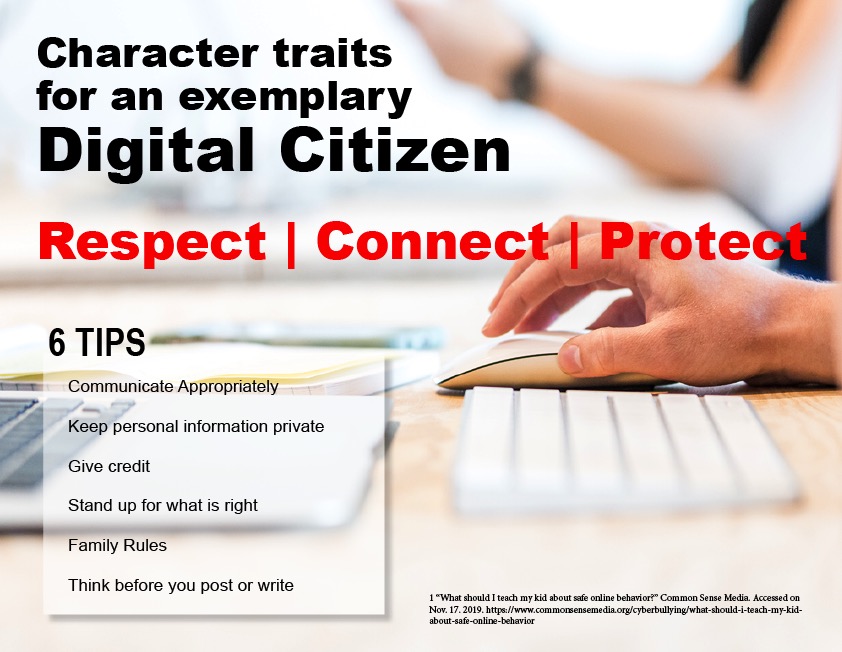
This is an investigation of the following character traits associated with an exemplary digital citizen: respectconnect and protect. These character traits are necessary for students and teachers to foster a positive learning environment in the online community.  The essay describes the traits and provides additional information on their use in an online classroom.

Respect is defined as due regard for the feelings, wishes, rights, or traditions of others. Connect means join together so as to provide access and communication. Protect means to aim to preserve.

Students may forget that they need to extend these three character traits for their fellow classmates and teacher because they don’t see everyone as they would in a traditional classroom. There is a sense of anonymity. Here are some basic guidelines for showing respect, connect, and protect in the online classroom environment. The following character traits were discussed in an article on Common Sense Media.

  1. Communicate Appropriately with one another. You would not text or message a teacher the same way as you would a fellow peer.
  2. Keep personal information private. Information about where you live and personal details should not be shared online.
  3. Give credit. It is important to provide credit for where you got the information. Make sure you cite it. Footnotes and bibliography.
  4. Make sure if someone is bully or being disrespectful that you stand up for what is right. Also, make sure to report inappropriate behavior.
  5. Family Rules. If your family prefers you not visit certain websites, respect their wishes.
  6. Think before you post or write something. Is it something positive, will it hurt someone else?

A social contract is a great way to start a discussion of what respect means to the participants in the online environment. I’ve used this in my classroom and find that it works to benefit everyone and define what our expectations are from one another in regards to behavior.

_____________________________

1 “What should I teach my kid about safe online behavior?” Common Sense Media. Accessed on Nov. 17. 2019. https://www.commonsensemedia.org/cyberbullying/what-should-i-teach-my-kid-about-safe-online-behavior

2 Photograph provided by Lex Photography. https://www.pexels.com/photo/magic-keyboard-1109543/


Episode 2.08 Reema Zoumut, Animation/Graphic Design/Photo Teacher

Screen Shot 2019-07-17 at 8.41.36 AMScreen Shot 2019-07-17 at 8.41.57 AMPhoto 61_ Myself_ edited
In this episode 2.08 I had the honor of interviewing Reema Zoumut, or “Mrs. Z” as she is fondly called by her students. Her teaching career spans 30 yrs and she teaches high school animation, graphic design, and photography. I’m very fortunate that a little over 2 years ago I google searched animation teachers, and her name comes up at the top of the list. Reema helped me create my own animation pathway from sharing her extensive knowledge in education and art. Her website at her high school is a great resource for those interested in teaching digital media.  Her students have gone on to work for major game industry companies such as Blizzard. Sorry the audio quality is not the best. We had some tech issues, so had to record via cell phone.
Listen to the podcast at My Creative Life.
_______________________

2.05 Interview Jennifer Greive, Graphic Designer, Illustrator, and Hand Lettering Artist

Today I have my first guest from my Instagram feed, Jennifer Greive. I’ve been following her work for the past year. I came across her from some of the other lettering artists I follow. Her work is super cute, and profession! I feel very fortunate to have her on the podcast. Here is a little about Jennifer. She specializes in t-shirt design, logos, and branding. Her personal brand Fueled By Letters was born from her love for Typography and Hand Lettering. Jennifer started out at a very young age doing illustration which then lead to the world of Graphic Design. Anime got her into design. She attended Stark State College of Technology and The University of Akron receiving both an Associates and Bachelors degree in Graphic Design. Jennifer is available for commissioned work or visit her Etsy store to purchase a digital print.
To see more of Jennifer’s work visit:
Fueled by Lettters
Instagram @Jennifer.Greive
Etsy Fueled by Letters

Visit My Creative Life with Nancy Miller to listen!

Thanks for listening!

Kyles Brushes Munch

Screen Shot 2019-06-26 at 9.31.15 AM

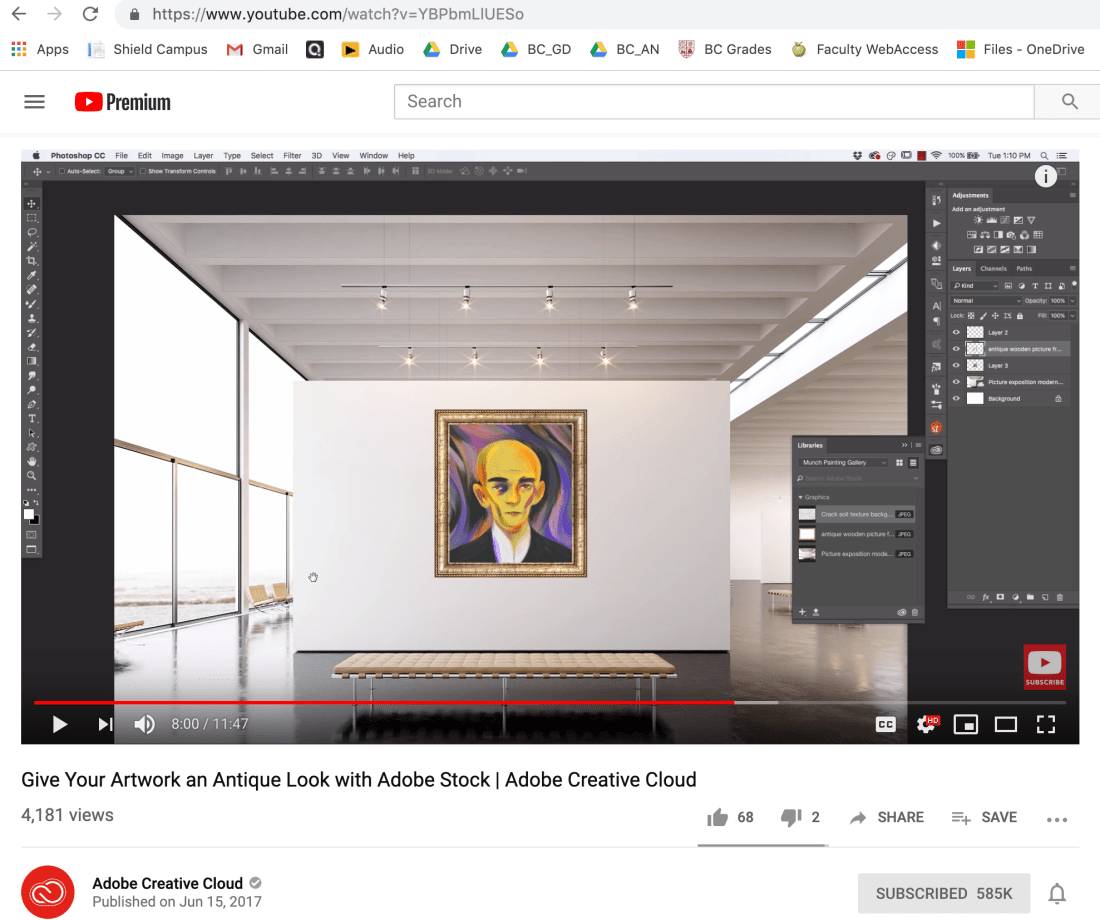
Just found this video from Adobe. Kyle Webster has created an amazing set of brushes that mimic the look of Munch’s brush strokes. I’ve been playing around with creating my own brushes for my graduate class in illustration. It’s been a lot of fun. These are FREE! Here is the link to the Kyles Munch Brushes video, and in the description box is the link to download the brushes. Happy Painting!

2 Episode 1 Interview with Whitney Earley, Artist/Teacher

This is Season 2 of My Creative Life. I’m interviewing my friend Whitney Earley, artist and art teacher based out of Ohio. She currently teaches high school. I met Whitney while I was teaching in Bulloch Co, and had loads of laughs with her while attending art teacher conferences and PD. This is here story about her creative life. You can see Whitney’s work on her instagram @whitneyearley.


Listen to the podcast at My Creative Life.

Podcast Episode 13 – Interview Nikita Prokhorov, Graphic Designer

62372231_439182943532593_8643443248783687680_nMy next interview is with Nikita Prokhorov. I met Nikita, 13 yrs ago at Scuba Diving Magazine. He filled in for me while I was on maternity leave. He had just finished his MFA in Graphic Design from Savannah College of Art and Design. Nikita has some beautiful design work and I’ve been watching is an evolution of his work on his Instagram TypebyNikita.
Here is a link to the podcast on My Creative Life Episode 13.

Below is a little bit more about him.

Nikita is an NYC-based lettering artist, graphic designer, and design professor. His minimalist style reflects an admiration for work such as pure marks by Stefan Kanchev and beautiful typography of Doyald Young. As one happy client put it, ‘his work is conceptual, clean, and the reasoning behind every design decision is crystal clear.’ Focusing mainly on logotypes and lettering, Nikita has worked on a variety of design projects for local and international clients. He is an ambigram expert that has taught several ambigram workshops–in addition to having written a book about ambigrams. Nikita’s work has been featured in multiple design books and websites.

His love of bad puns and jokes is second only to his love of type. To pass the time between projects, he reads, scuba dives, skydives, wingwalks, skis (not very gracefully), and travels. He thinks that writing about himself in third person is a bit strange, but he has gotten used to it.

Disney Launchpad & Podcast Update

Screen Shot 2019-06-04 at 9.02.35 AM

Disney is providing 6 lucky directors with the opportunity to bring their stories and visions to the screen. Here is a link to to Disney Launchpad. Application deadline is July 2nd at 12 pm. This is from their site:

The Disney Launchpad: Shorts Incubator is a brand-new opportunity for up to six (6) directors from underrepresented backgrounds to present diverse perspectives, through the production of original, live-action shorts for the proposed initial exhibition on the upcoming streaming service, Disney+.

Artist Bio - IBTrav - Travis Falligant, Character Illustrator
Artist Bio – IBTrav – Travis Falligant, Character Illustrator | http://www.ibtrav.com

My podcast with Travis Falligant is live on My Creative Life.

My plans for this summer are to attend some webinars online. One is for Adobe CC to learn more about the changes for student logins and possible savings. Then I’ve got a webinar for e-Sports.  It is sponsored by Dell. Free to sign up. I’m gathering there may be a tie into selling you some computer equipment to compete with e-Sports. Link Esports for Education by Dell.

I’m teaching a night class for Lightroom and Photoshop for the local university continuing education program. Then I’m starting graduate school this summer. Lots of things going and I plan to post some of the photos that students color correct on my blog. I’m thinking when I teach my drawing class next time to include my students in the podcast. They were so amazing my drawing students. They are a great group of people. Amazing stories to share. Super excited to teach that class in the Fall. Maybe Sept. 2019.

Macbook PRO 2015 i7 Core, 16GB RAM, and 512GB SSD

Image result for macbook 2015

I purchased the macbook 2015 from ebay. It was a refurbished model, and I’ve been really enjoying it. I did a lot of reading of reviews. I didn’t want to purchase the newest version, because it was so costly for the SSD drive. I wanted at least 500 GB. I really wanted 1 TB, but that was going to be WAY TOO MUCH MONEY. My macbook 2015 runs pretty quickly and starts up fast. It does throttle and it gets hot. Overall I’m happy with my purchase. I love the trackpad! Feels great! I read the new macbook they were missing ports, and then issues with the keyboards. I spent $1120 for mine. It had Apple care included and I got Final Cut Pro. I will keep you posted on it continues to work.

Photoshop CC

Screen Shot 2019-05-10 at 9.35.21 PM

I just saw a youtube video by Brad Colbow on how Photoshop is raising their subscription rates.

I use Photoshop all of the time. Luckily I can afford the entire Creative Suite. I agree with the video content by Brad Colbow regarding how Adobe really hooked people on the lower subscription price and now they are raising their rates.

I’ve been hearing slowly that designers are trying Affinity Designer and some of their other products for their design work. I don’t think I’d be able to justify crossing over, but I’m thinking about paying for the software to try and see what it is like. At $19.99 it is reasonable, and you don’t have to do a subscription. Schools just don’t like the subscription model because they see that you have to upgrade and pay the cost every year.

I’m thinking about downloading and trying it. If anyone has tried it love to hear what they think of the software.

Graphic Design Final Project

Above 2 student examples for logo project.

Wowser, were does the time go? I’ve been having students work on their final projects for their Graphic Design and Photography class. I’ve been thrilled with the results. I think even if they aren’t going to pursue graphic design, they see the practical nature of understand why it is important in business. I don’t have a marketing background, but I had the opportunity to work with a wonderful marketing director. I learned a lot from what she said and why she would do the things she did for the magazine. It’s great to learn from someone like that on the job.

They design their own logo for the company or personal brand. Then they are taking the logos to make business cards, stickers, and letterhead. Then they will put their logo on to 5 different pieces of swag.

We started by going over some history of logo design. Then they created a mind map for their brand. Then they created their sketches. Next it was turning their best idea into a vector image in Illustrator. They had to reproduce their set of 12 stickers, 16 business cards. Next week is letterhead and swag. I would say this unit took them a month of 44 min class sessions. Once they finish and mount everything I think it will surprise a lot of them on how good it all looks together.

I was hesitant of teaching graphic design and photography. Mainly because I hadn’t done it before in an educational setting. My professional experience has been a huge help. 10 yrs spent working as a graphic designer/illustrator. The assignments are based off of what I’ve been asked to do as a graphic designer. It’s like having to train newly hired graphic designers. I get to watch them grow and start getting good with the projects. I can tell some of the students will one day own businesses. They start planning and thinking ahead about what they would do for their identity. I really like teaching the class. I’m already starting to plan out ideas for lessons for students that come back and take more classes in graphic design.  I see product packaging design in their future. I’d also want to do more field trips for the photography. I think we’ve shot about everything I can think of in walking distance. I really enjoy teaching these classes.

Side note I also have been teaching a night drawing class at local university campus. Man, I love my adult students. They are fantastic! I love listening to them and where they are in their lives, and why they love making art! I’m going to ask them next class if I can take photos of their drawings and post them! They are already amazing artists on their own!!