
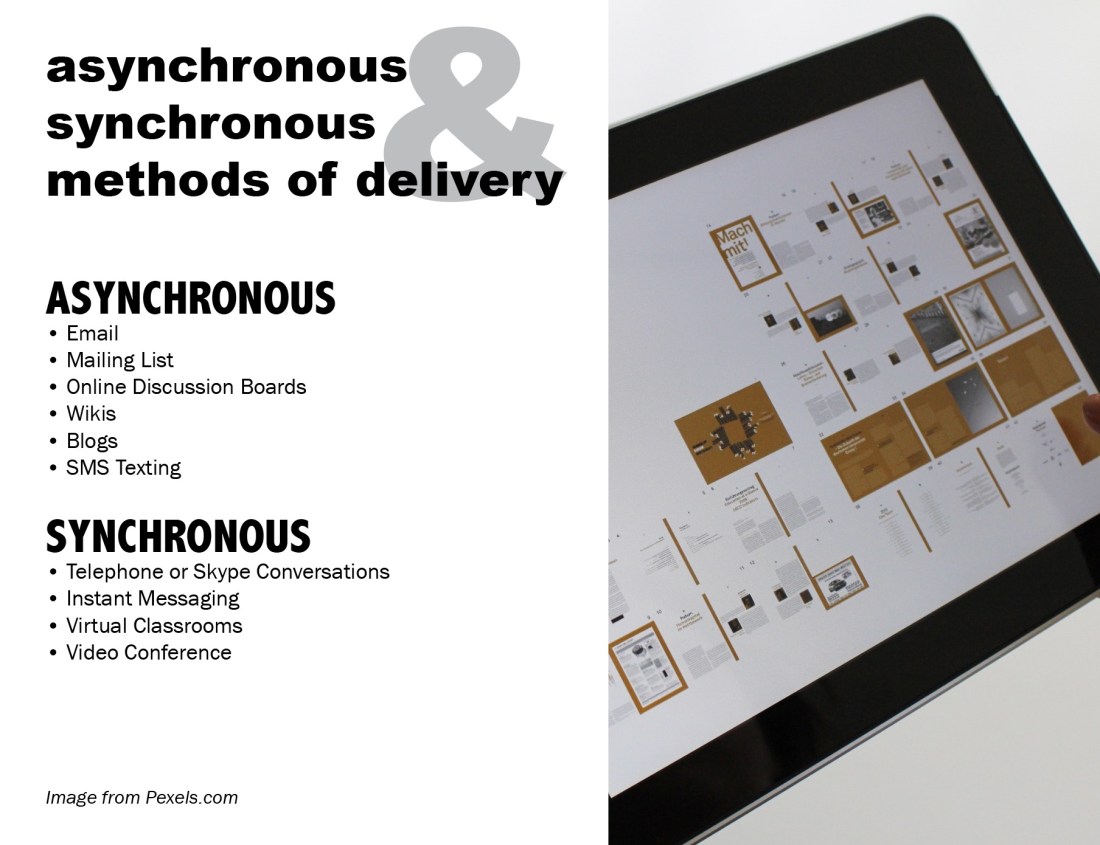
These tips were originated from the elearners.com.
Standard C: The online teacher plans, designs, and incorporates strategies to encourage active learning, application, interaction, participation, and collaboration in the online environment.
Standard E: The online teacher models, guides, and encourages legal, ethical, and safe behavior related to technology use.
Standard J: The online teacher interacts in a professional, effective manner with colleagues, parents, and other members of the community to support students’ success.
The Participate module of the Effective Online Teaching Course has been helpful to prepare me for providing students with an understanding of the online environment. As an instructor, one should not assume that students will know the netiquette and consequences of their actions in the online environment. One of the strategies I would use from the beginning of teaching online is an AUP. An acceptable use policy allows all parties to know what is acceptable in the online classroom, similar to classroom policy and rules. All teachers do them, and it should also be extended to the online classroom. Providing an environment that students feel comfortable having these discussions is an important part of teaching. The lesson on digital safety I felt was the most beneficial because I was able to create a powerpoint presentation on the topic. The powerpoint presentation I created that discusses the topic of digital safety would be utilized in going over the rules and consequences of students’ actions.
 1. How did you modify your technology habits?
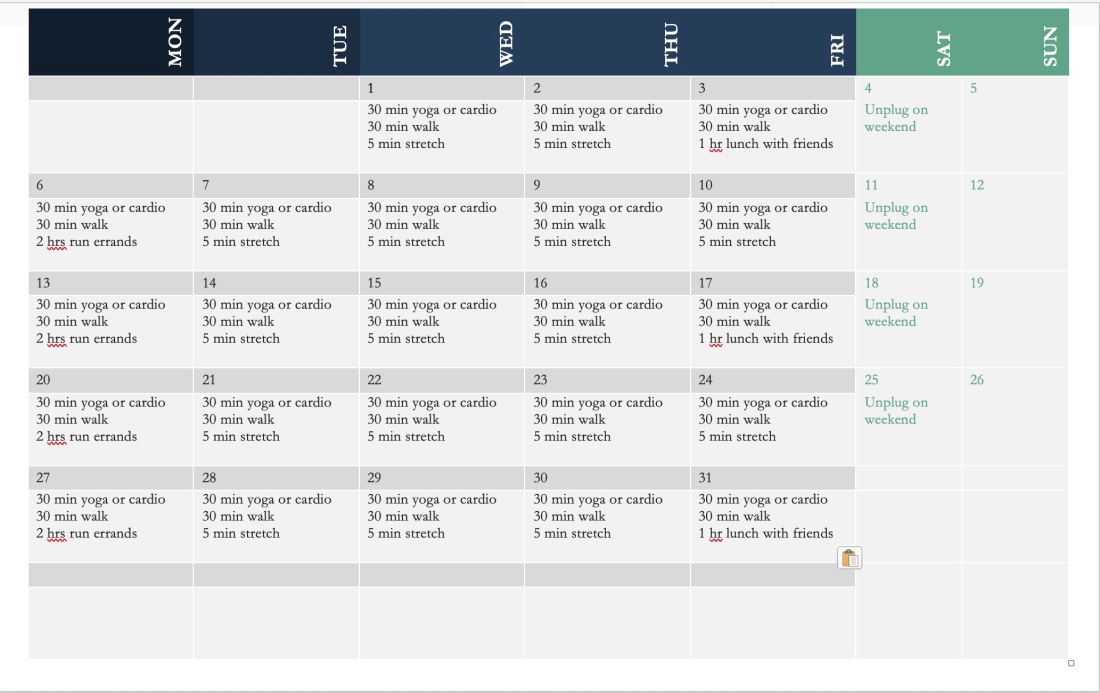
Creating a calendar that makes one mindful of what they are doing during the week. I also would want to have a timer on my computer to remind me to stretch or sit up straight every 30 min. Making time to get away from the computer and unplug is very helpful.
2. What are the most proactive means of ensuring the most balanced blend of technology and well-being?
Set up your work environment on the computer for what makes sense for you. I had to put my computer at a position that required me to stand. I do not want to sit for too long. I also try and make sure to take breaks.
3. What can students and teachers do to make sure they get the most from technology while simultaneously safeguarding good health?
Make a conscious effort to think about how much time is good for sitting and try and work in breaks and exercise. Try and set up the computer to prevent fatigue for your wrist and back. I found yoga to be very helpful.
Here is a link to view my Google Slides presentation I created based on this topic.
Post in your blog: Describe the walkabout experience and include the link to the list of social-bookmarked resources compiled during the exploration.
I decided to do some searching for reputable sites for my classes and organizing them in Symbaloo. I decided to give the bookmarking site a real try. I liked it a lot better then I thought I would. I decided to bring together sites that I use for finding images for presentations of artwork. I started collecting sites. I also found some new resources that included first-person interviews of contemporary artists. I installed the WOT app to my chrome browser as well to rate how reliable as the site was.
Here is the Symbaloo board that I created.
https://messyartteacher.symbaloo.com/home/mix/13ePGdTUiW
I’m having a sale on all my TPT products 20% off during the week of Nov. 18-21. Have a Happy Thanksgiving!
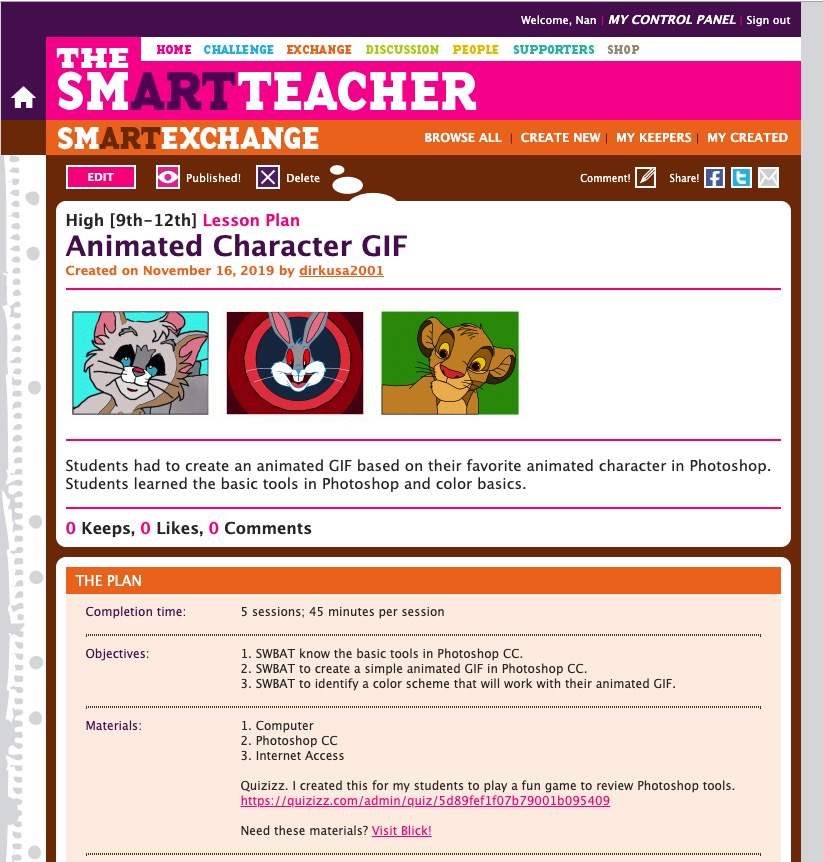
Just posted a free lesson on how to use Photoshop CC to create an animated GIF for high school students on SmartArtTeacher.com
Check it out.



I’ve been lucky to have so many amazing artists on my podcast. Stephen Frink is a prolific underwater photographer that I met during my time at Scuba Diving Magazine. I worked there as the advertising designer, and Stephen was the Photo Editor and he traveled all over to write and take underwater photos of the areas. I am going to put his full bio below so you can read it.
Listen to his interview at My Creative Life. Thank you for listening!
To see more of Stephen Frink’s work visit:
StephenFrink.com
Stephen Frink Facebook
Stephen Frink Instagram
About Stephen Frink
Stephen Frink is among the world’s most frequently published UW photographers, with a career spanning four decades. He arrived in Key Largo in 1978 to open a small studio dedicated to UW photo services, primarily renting cameras and processing E-6 slide film, but he soon began to receive assignments to photograph and write articles for the consumer dive publications of the day. He worked as a photojournalist for Skin Diver magazine for 17-years, covering much of the Caribbean, Bahamas, and Florida Keys for the publication. Subsequently he worked as the Director of Photography for Scuba Diving magazine. Most recently, and for the past 10 years, Stephen has been the publisher of Alert Diver Magazine, a beautiful coffee-table collectible magazine for the members of the Divers Alert Network.
Stephen teaches Masters level courses of Stephen Frink School of Underwater Digital Imaging in his home waters of Key Largo, Florida. Clients for assignment photography over the past 40 years have included Scubapro, Victoria’s Secret, Aqualung, Oceanic, Canon, Nikon, Subgear, Mercury Marine, Jantzen, Alcan Aluminum, R.J. Reynolds, Seaquest, Henderson Aquatics, American Express, Hanes, Club Med; as well as scores of resorts and live-aboard dive boats throughout the world. Rolex Watch Company has also engaged Frink for both endorsement campaign and product photography. He sits on the Boards of Directors of the Coral Restoration Foundation and the Florida Keys chapter of the National Marine Sanctuary Foundation, and is active with various ocean conservation initiatives.
Other Frink enterprises include a dive travel company, WaterHouse Tours and Reservations and a Seacam USA, the North American distribution of the Austrian underwater housing and strobe manufacturer.
Stephen lives in Key Largo, where he operates a studio and gallery at Mile Marker 101, Bayside.


Above 2 student examples for logo project.
Wowser, were does the time go? I’ve been having students work on their final projects for their Graphic Design and Photography class. I’ve been thrilled with the results. I think even if they aren’t going to pursue graphic design, they see the practical nature of understand why it is important in business. I don’t have a marketing background, but I had the opportunity to work with a wonderful marketing director. I learned a lot from what she said and why she would do the things she did for the magazine. It’s great to learn from someone like that on the job.
They design their own logo for the company or personal brand. Then they are taking the logos to make business cards, stickers, and letterhead. Then they will put their logo on to 5 different pieces of swag.
We started by going over some history of logo design. Then they created a mind map for their brand. Then they created their sketches. Next it was turning their best idea into a vector image in Illustrator. They had to reproduce their set of 12 stickers, 16 business cards. Next week is letterhead and swag. I would say this unit took them a month of 44 min class sessions. Once they finish and mount everything I think it will surprise a lot of them on how good it all looks together.


I was hesitant of teaching graphic design and photography. Mainly because I hadn’t done it before in an educational setting. My professional experience has been a huge help. 10 yrs spent working as a graphic designer/illustrator. The assignments are based off of what I’ve been asked to do as a graphic designer. It’s like having to train newly hired graphic designers. I get to watch them grow and start getting good with the projects. I can tell some of the students will one day own businesses. They start planning and thinking ahead about what they would do for their identity. I really like teaching the class. I’m already starting to plan out ideas for lessons for students that come back and take more classes in graphic design. I see product packaging design in their future. I’d also want to do more field trips for the photography. I think we’ve shot about everything I can think of in walking distance. I really enjoy teaching these classes.
Side note I also have been teaching a night drawing class at local university campus. Man, I love my adult students. They are fantastic! I love listening to them and where they are in their lives, and why they love making art! I’m going to ask them next class if I can take photos of their drawings and post them! They are already amazing artists on their own!!
My graphic design students are going to start their final projects this week. They have to take the logo they created in the previous project and create stickers, business cards, letter head, and put their logo on various pieces of swag. I’ll try and post examples of this once they are finished mocking them up. Some of the logos look really great!
I’ve been a teacher for 10 yrs now, and I know there is a small niche group of art teachers out there. Then within that group there is a subset of us teaching digital art. I realized after switching to high school last year that it was such a tough time. I had to rethink everything I was doing. I try and post and share because I know that there are other art teachers that are making the change or trying to add more digital curriculum to their lessons. It can be really overwhelming.
I also think some times it is really hard to figure out where I can I find resources to help me out with classroom management and lessons. I’ve been trying to post resources as I go along to let other teachers know we are all trying to figure things out.
That’s part of why I like teaching it is something that evolves and changes over time. Very challenging. I also really enjoy watching my students develop their skills in graphic design. I’ve worked in the profession. I know even if they don’t ever become a graphic designer they could one day own their own business or work at a higher level within a company and have to work with a marketing department. I want them to know what you should expect from someone that says they have that expertise.
I still try and freelance graphic design/illustration on the side. What surprises me that at some point we all start out as newbies. We all have to learn by getting some professional experience. I’ve see in the professional world that people say they have the expertise and fall short. I think of it like teams sports. Someone comes along and says they are the best player in the league and the team/coach says let’s give them a shot. They fail and have no idea even how to throw the ball. It is painfully obvious that they oversold their abilities. It’s better to be honest and say “I really don’t have the experience, but I’m learning on the job.” The idea of faking till you make is really strange to me. I’ve never told a client I can do something, knowing that I can’t do it. I’ve told a client let me look into this and see, but then I’ll get back to you. I let them know that is beyond my skill level or I just don’t have the equipment. I never want to lie to client, because that wastes their time and money. I also don’t do work just because it pays. I really don’t like web designing, so I stay away from that.
In this age when things can be faked to look like something else. I should know I teach graphic design and I lean heavy on advertising. I tell my students that, I teach animation, but I’ve never worked in that industry. I let them know that as a fact. I say I don’t know let me get back to you on that instead making something up. I also say have you Googled it?
Technology related pathways are constantly evolving and changing. There are updates getting pushed out every other week on software. New software companies are emerging to compete with current software. It’s a lot for to keep up with. I feel like as education continues the students need to have that motivation to learn on their own, because many times there might not be a simple path from A to B that is clearly defined that you can learn from a textbook and teacher. Sometimes getting in there, try different ways, making honest mistakes, and doing the work is the best learning experience.
 Mrs. Miller - Messy Art Teacher Blog