I read several reviews on software and sites that will take a link from Youtube and convert it to a downloadable file that is an MP4 or MP3 file. I was using 4K video downloader and sadly it no longer works for the students. I’ve tried uninstalling and reinstalling several times. It was quite the bummer. Digging around and then my students were using youtubemp3free.org. That site seems fine for audio MP3. I was concerned about having the computers getting popups and etc. So far so good. Then I was looking around for MP4 Files I came across youtubemp4.to that has been working fine and I haven’t had any odd pop-ups. I’m planning on using those 2 sites for my students to convert audio and video for our practice video edits in Adobe Premiere.
Freebie Download Grid Drawing Sheet
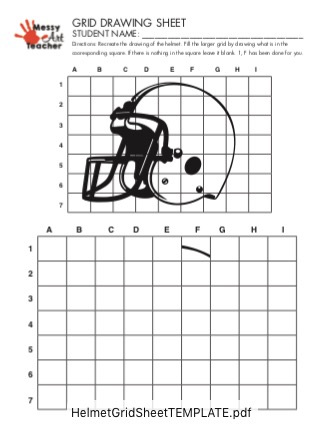
I’ve been quietly making lots of grid drawing worksheets on my TPT store. I wanted to post one here as a thank you to all the customers that have purchased from me on TPT. You should be able to get the free PDF download by clicking on the link. HelmetGridSheetTEMPLATE
Thank you to all of you that have been supporting me on my journey to reach 100 items on my store. Currently at 66.
Microsoft Teams for Education
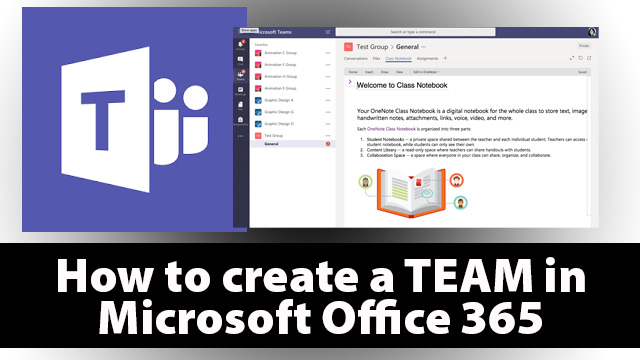
I’m going to start to use Microsoft Teams for Education with my students. It looks like google classroom. I’m hoping for good things to come from using it. I’m not happy with the OneDrive. Microsoft’s version of Google Drive. I don’t think it works as well, but it could also be that Google had does such a good job in being the mainstay for public school education. I teaching in private school and have started using Microsoft’s version. I’ll document how it works.
Here is a link to videos provided by Microsoft on the Teams.
Also here is my video on how to create a Microsoft Team for Teachers video.
Simple Sketchbooks
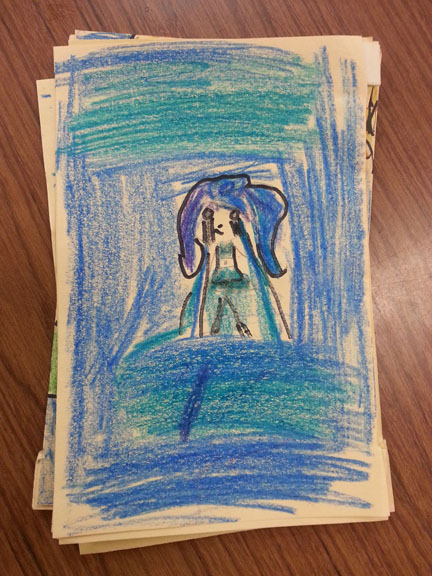
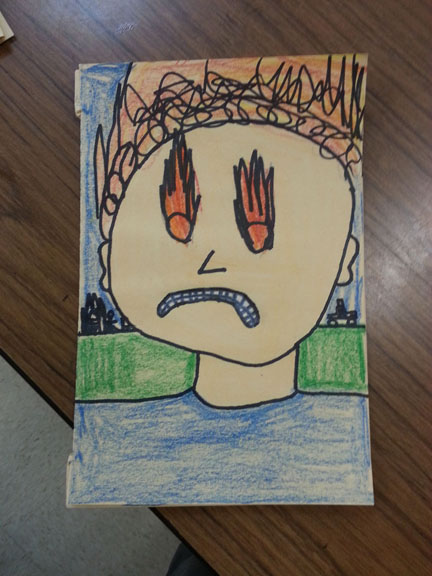
I taught elementary art for 8 yrs. It was always on a tight budget. GA art standards want students to sketch and plan out their work. I wanted students to keep their own record of their sketches in a sketchbook. I finally made a video on my Youtube channel on how to do that. Here is a link to How to Make a Sketchbook.
Tips for Teaching Graphic Design
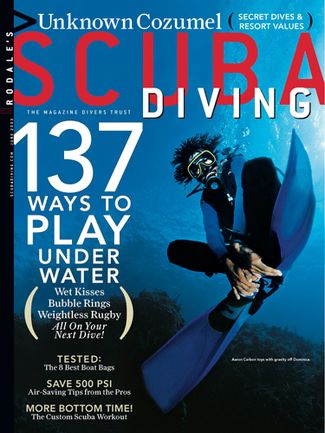
Next week I’m going to start teaching some editorial design to my high school students. I’m pretty excited about that because my design experience is from that area. Especially advertising. I tend to be commercial in the way that I think about things.
I’m going to share with them work from when I was a advertising designer at Scuba Diving Magazine. Fond memories. It was a great place to work at. The original parent company Rodale, Inc. Men’s Health, Women’s Health, Runner’s were some of their titles. Was a family owned business at the time. I believe Hearst purchased it recently. I think publishing had a rough time of it. Some companies have faired better then other, and had a better understanding of how to monetize content. I need to spend more time researching the evolution of it.
I got to work with some wonderful staff and then the clients were super nice and from all over the world in the diving industry. I got to work with amazing world class underwater photographer Stephen Frink. Such a humble guy! One of my favorite bosses of all time was the marketing director, Susan Smith and publisher Dane Farnam. Feels like a lifetime ago.
How did we get to editorial design? I spent the first month and 1/2 on Adobe Photoshop CC 2018. I think that was a good start. Then we moved into using Lightroom for about 2 weeks. I’m not as familiar with it, but ALL my photographer friends use it. I never knew why and then I started teaching it. I have to say the organizational system that is built in to Lightroom is pretty amazing. Then we spent a month on Adobe Illustrator. On to Indesign. I think in 1 semester that might seem like a lot of software to cover, but I feel like if they students come back for another class I need them to be aware of how to use the basics of the software.
MY 5 TEACHING TIPS
1. TRY AND CHUCK THINGS UP
Even if students are in high school or adult education or whatever. There are a lot of steps. I spent 10 yrs in the graphic design industry working over 40 hrs a week using the software. That is over 20,000 hrs experience. I tend to forget what comes second nature to me. Even the little things spell it out. I forget for many of my students this is the first time they have used the software, or they may have taken a similar class but it was a year ago. I tend to do bellringers. I have a short 10 min. activity use the software before we go into really using that software. When students were using Photoshop, I had a bellringer for Lightroom to try and introduce it. Started with Navigation. Then next day continue the overall project with Photoshop and bellringer with Lightroom.
2. REPETITION, REPETITION, REPETITION
Muscle memory is one of the strongest things that we have that allow us to remember how to do things. Even after I moved onto new software, if I feel like we might be forgetting Photoshop I’ll go back and have another activity that is a refresher.
3. KISS. KEEP IT SUPER SIMPLE
I have to remind myself this is an Intro class. I have to tell myself what do they really need to know. Not too much really basic stuff. What student wants to sit there and learn EVERY single tool in Photoshop? It gets boring. DO, DO, and DO. I think students will find thing out on their own as well. I make sure I cover what they need to know to complete the assignment. Example I was going to have students create their own logo for themselves and then use it on business cards. Then I said forget it that is TOO MUCH. Just gang them up and make some sticker stickers instead. They can cut things out and do something hands on.
4. SMALL GROUPS
I got this from my elementary teachers. Small group learning. Can we repeat small group learning. It is the go to in elementary and it works in secondary. I split my room into 2 groups. This works better after you start a project. Then I give instruction to 1 row of students and 2nd group is working independently. Then switch. For larger groups this works well. Then if someone missed something from group 1 they watch it again. Then group anyone needs help I go back and work with them one-to-one. I also provided Youtube videos. I have some students that are independent learners, but we all learn differently. I find most students want some type of direct instruction. I make it a rule that students in the second group must ask each other questions I’m off limits while with the 1st group. That is why tip 5 is really helpful.
5. GAMES/ICEBREAKERS
I used to totally hate these things, because I’m an introvert by nature. If you are reading this you are probably think why did you become a teacher? Save that for another post. Office culture activities like playing a get to know you game helps in any grade level. Even if you feel like people will get to know each other on their own that takes time. Do an icebreaker. Otherwise they will rely on you all the time. Don’t assume they all know each other because they are at a small school or in the same grade level. In work or business it’s a team activity. Get to know your team with an icebreaker. I’ve done people bingo, throw a snowball, THIS or THAT, and scavenger hunts. Here is some simple ones on TINYPULSE.com
My current students really liked THIS or THAT. Coke or Pepsi? Netflix or Youtube? Pie or Cake? I made a game in Nearpod. For the teacher it helps me to get to know the students better. I think I will do one again when we get back from the Thanksgiving break.
That is it for now. Also excited I’m going to be teaching an adult drawing class in April with the local university continuing education program. More to post later!
Messy Art Teacher on TPT
If you are a teacher you’ve been wondering what to do with all those old dusty lessons try TeachersPayTeachers.com When I first thought about posting my lessons I wondered would anyone be interested in purchasing them? For the longest time I just had an account to find things that would help my own child’s learning. Then the occasional gift card for teachers. This year from encouragement from another teacher I finally put some extra time into it and sold some lessons. Gradually I’ve posted almost 40 lesson.
I’ve been reading the seller’s forums which is helpful. I also post a lesson once a week. I think trying to be regular is important.
I have several free lessons for download. I decided to put an animated gif for my header. I teach animation so figure why not. Here is a link to my store on TPT The Messy Art Teacher.
Messy Art Teacher on TPT
If you are a teacher then you know about Teacherspayteachers.com. I have a store on it. I have several free lessons available. Visit: MESSY ART TEACHER ON TPT
Sketchbooks


Teacher Blogs I Enjoy
I started my own youtube channel and I don’t have the courage to Vlog. I keep to the lessons and how to videos. I do enjoy watching other teachers’ Vlogs. Here are some that I’ve enjoyed.
Real Reynolds Rap
Pocketful of Primary
Hip Hughes History
Too Cool for Middle School
Here’s a link to my own youtube channel The Messy Art Teacher.
Applied Empathy
I decided to read the book Applied Empathy by Michael Ventura after seeing him 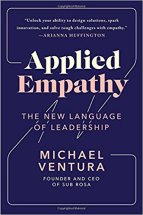 on an interview with GaryVee. Here is the link to the video. He brought up some good points about culture of your business and how you want to approach life and work. I decided to get a copy on the kindle app and read it.
Some of the ideas can apply to being a teacher. Having empathy for your students and understanding where they are coming from. Which can be tough when you are several generations older. It’s hard to remember what it was like being that age. Many of the exercises help me get in touch with being in a positive place.
For the area of Inspired Self he says write down 5 things that you can do to put in the place of when you were last inspired. Self awareness and being present in the moment are mentioned in the book.
Here is my list of 5 things.
- Drawing something
- Cooking/Baking something
- Going for a walk at the park
- 3D Modeling
- Throwing on pottery
These things put me in that frame of mind where I lose track of time and the feeling I get inside makes me either feel or really think about the moment or excited. I think I’m going to try and do more of those things during the year.
Try it for yourself. Here is a link for the book on Amazon Applied Empathy.
Episode 11 – Interview with writer, Lynn Miller
In episode 11, of My Creative Life, I interviewed writer, Lynn Miller. She also happens to by my wonderful mother-in-law. She has been helping me create my greeting card line. Please tune in and enjoy!
Here is a link to the interview with Lynn Miller.
If you’d like to find out more about Lynn Miller please visit her instagram.
Instagram: www.instagram.com/lynn.miller.50746/
—————————————————————-
Nancy Miller’s Blog: tinyurl.com/mycreativelife
My Portfolio: www.nmillerillustration.com/
My Shop: www.nancymillerillustration.com/
Youtube: tinyurl.com/ytmessyartteacher
Sorry took, 2 weeks of for the holiday. I will be posting a new podcast every Sunday on a weekly basis from now on. Thank you for listening.
GIVEAWAY!
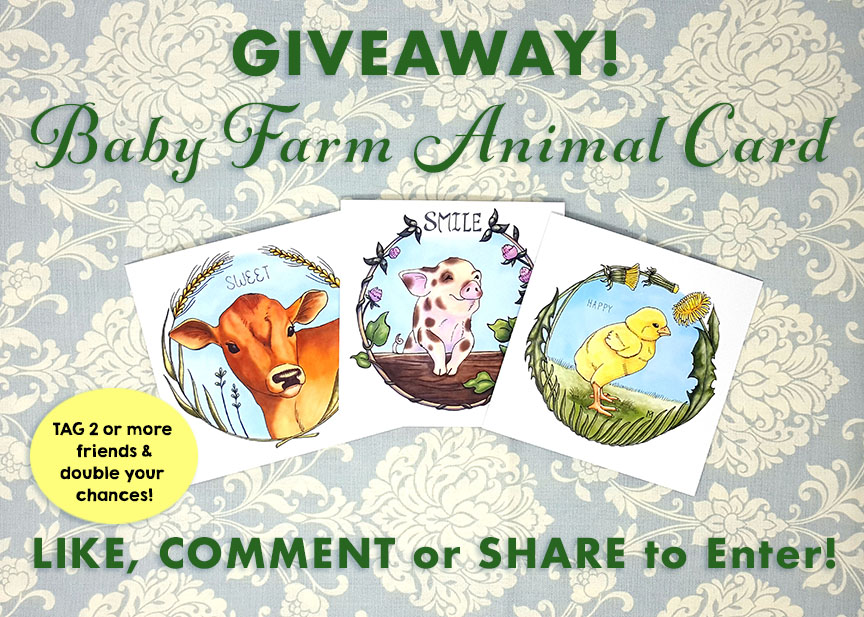
GIVEAWAY! Win this cute Baby Farm Animal Set of Blank Greeting Cards.
LIKE, COMMENT, or SHARE this POST. Tag 2 or more friends to double your chances. Contest ends 6/30/2018. Cards can only be shipped to a USA address. Thank you!
 Mrs. Miller - Messy Art Teacher Blog